SMS packages and notifications
SMS to clients are paid from the company's SMS balance: confirmation codes, “You're booked”, reminders, links to sign documents.
Check your balance
Open Company → SMS packages.
Open More → SMS packages.
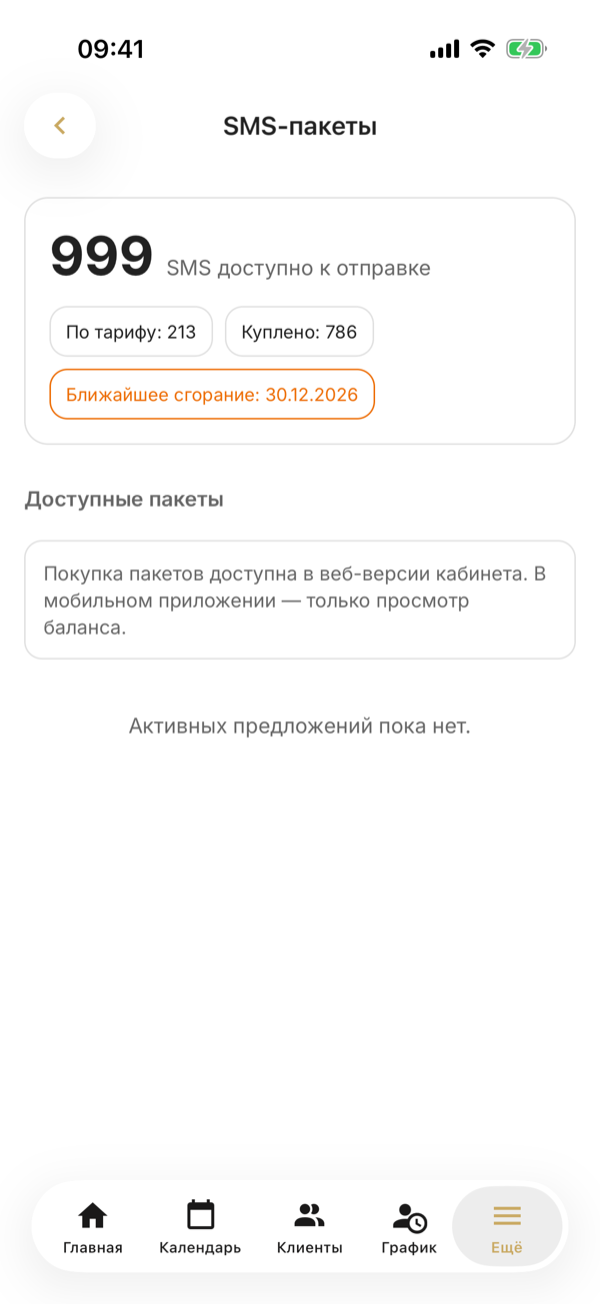
It shows how many SMS are available to send, how many came with your plan and how many were bought, and when the nearest package expires.
Buy a package
Choose a package and click Buy.
Packages can only be bought in the web dashboard: the phone shows your balance and the available packages, and the How to buy button on a package reminds you of this.
The package is paid by invoice — the SMS are added to your balance as soon as the payment arrives.
Choose what to send to clients
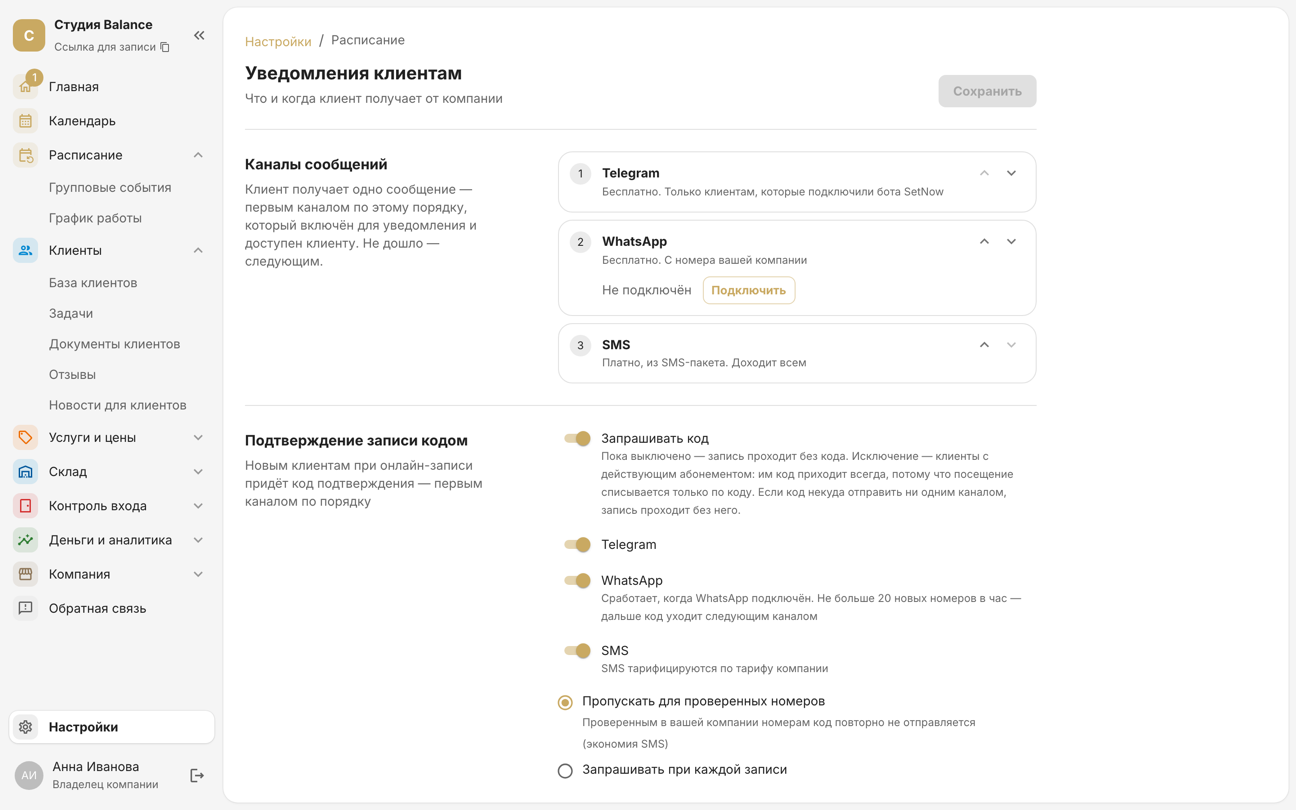
In Settings → Client notifications, turn on what you need:
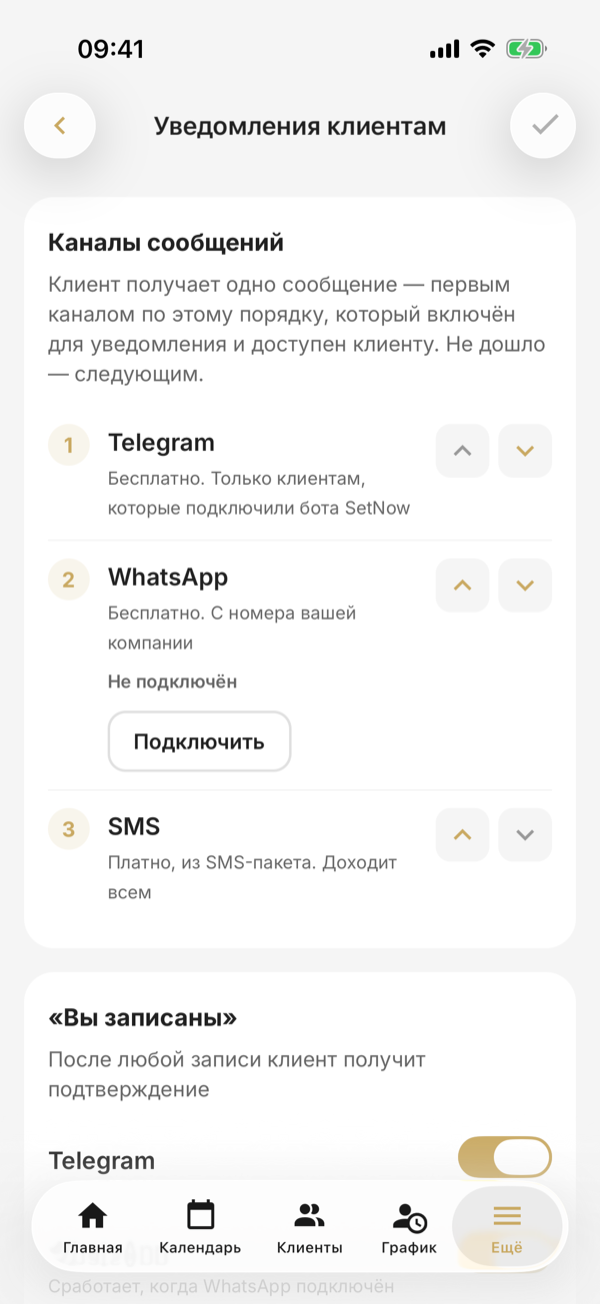
In More → Settings → Client notifications, turn on what you need:
- Booking confirmation by code — for new clients booking online. The code follows the same channel order; via WhatsApp — to no more than 20 new numbers an hour.
- Message channels — the order of Telegram, WhatsApp and SMS. The client gets one message — through the first channel in this order that is on and available to them; if it fails, the next one.
- “You're booked” — after any booking, in Telegram, WhatsApp or by SMS.
- Reminder before the booking — 1 to 24 hours before. You can add a second one, e.g. 24 hours and 2 hours before: both use the same channels — Telegram, WhatsApp or SMS.
- Waitlist and document signing link — the same three channels.
- SMS, Telegram and WhatsApp language — “Automatic” picks the language by the country of the client's number; if the client chose a language in the app, messages come in that language.
Move a channel up or down with the arrows next to it; changes are saved with the check mark at the top right.
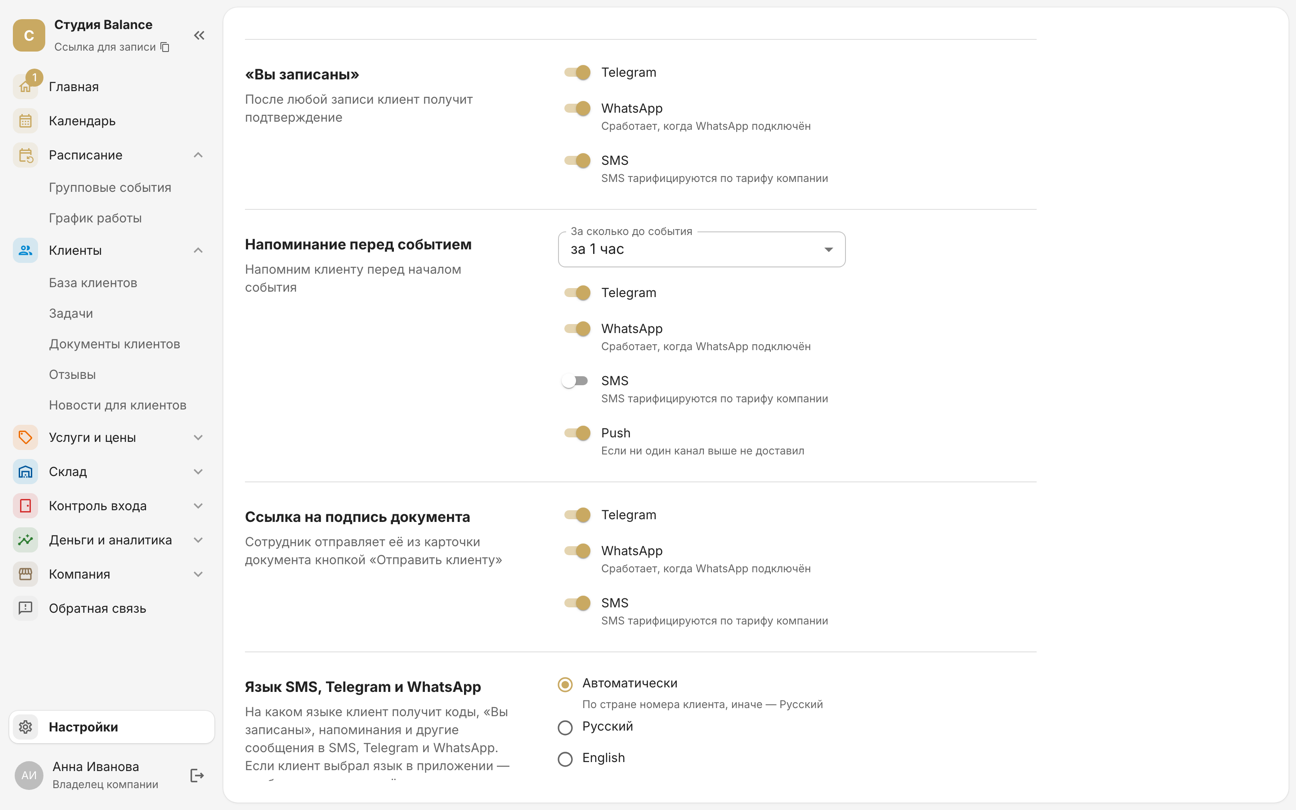
A push reminder is sent only if no message channel delivered it.
Telegram is free. On the online booking form, under the phone number, the client sees a “Connect Telegram” button: the SetNow bot asks them to share their number, and the form fills it in by itself. While Telegram is first in the channel order, a client who connected it gets “You're booked” and the reminder there only — no SMS or push.
WhatsApp is free too: messages go from your company's number. This is an unofficial connection — WhatsApp may ban the number, so use a separate WhatsApp Business number rather than a personal one. If the number is banned or unlinked, messages go through the next channel and the owner gets an email.
Click Connect in the Message channels block and link the number with a QR code or a code from the phone.
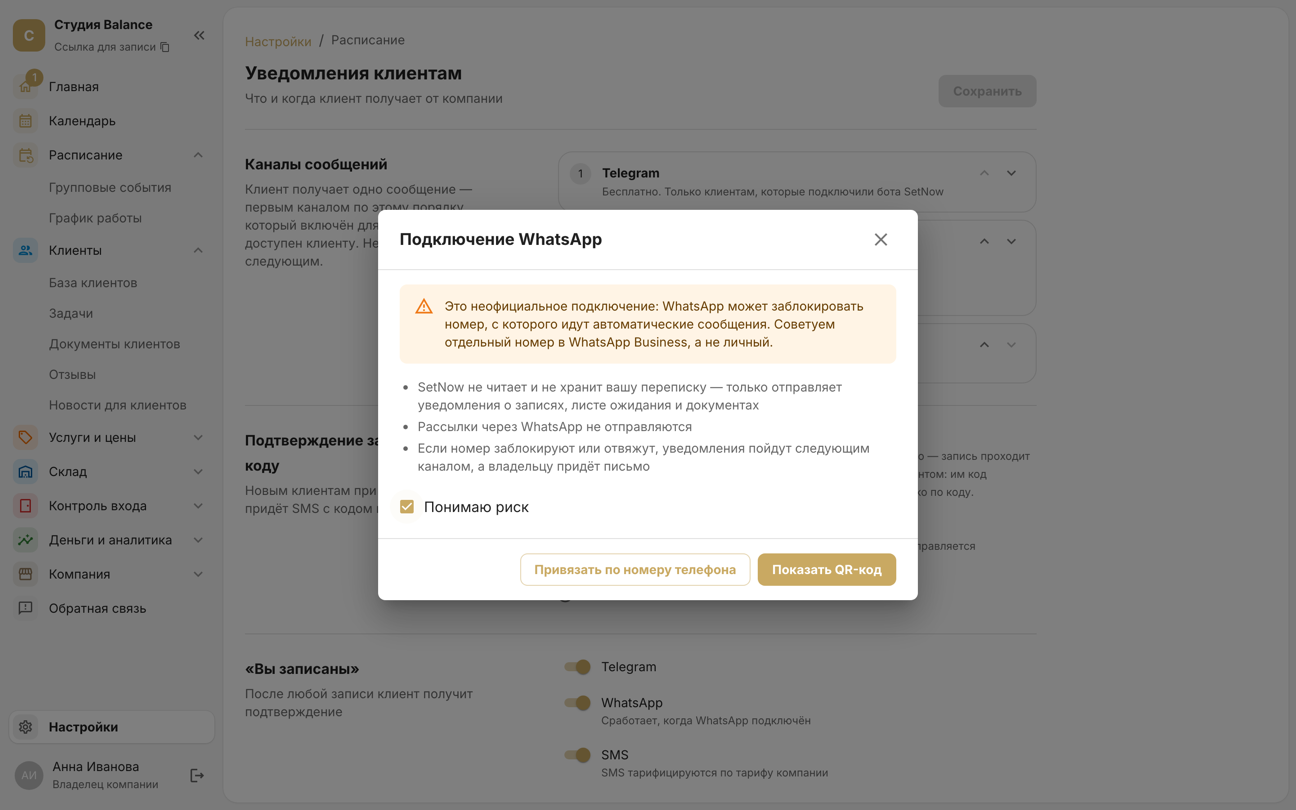
Tap Connect under WhatsApp in the Message channels block. On the Connect WhatsApp screen, turn on I understand the risk and tap Next, then enter the WhatsApp number and tap Get code: the screen shows the code and where to enter it in WhatsApp. If WhatsApp is on another phone, choose Show QR code and scan it with that phone.
When SMS are running out
The owner gets an email when the balance drops to 10%, and 3 days before a purchased package expires. If SMS do run out, online booking doesn't stop — clients book without a confirmation code.
Other features use SMS too when Telegram and WhatsApp didn't reach the client: links to sign documents and waitlist offers.